Fieldnotes #02
Welcome to September!
Welcome to September!
⚡First of all - BIG welcome to those of you joining us for the first time this month! The launch of Zazzle Unleashed more than doubled my mailing list – but no pressure, right?!
🎢 I’m not gonna lie - August was a roller coaster! The first part of the month was the mad dash to get the finishing touches on Zazzle Unleashed. The middle of the month was the wild ride of LAUNCHING Zazzle Unleashed! And then I promptly got sick and spent the last part of the month on forced recuperation! See - a roller coaster!
🧡I do want to shout out a huge THANK YOU for the massive show of support and encouragement during the launch. It was not without its hiccups (from tech gremlins to trolls), but all in all it was an amazing experience and I feel unbelievably blessed. I’m proud of Zazzle Unleashed, and I truly hope that it helps everyone who completes it!
I also want to send out a special, deep thank you to a couple of amazing women who really got me through this month. The first is Julie over at PublishLowContentBooks.com - I literally wouldn’t have made the course without her tireless support and guidance (and Golden Girls memes!). (Pro tip: if you are thinking of expanding into KDP, definitely check her out!)
The second is Lisa from the Happy Zazzling YouTube channel - her stunning kindness and generosity and resilience have been more encouraging to me than I can express.
Okay enough of the mushy stuff, let’s get down to business!
🧡I do want to shout out a huge THANK YOU for the massive show of support and encouragement during the launch. It was not without its hiccups (from tech gremlins to trolls), but all in all it was an amazing experience and I feel unbelievably blessed. I’m proud of Zazzle Unleashed, and I truly hope that it helps everyone who completes it!
I also want to send out a special, deep thank you to a couple of amazing women who really got me through this month. The first is Julie over at PublishLowContentBooks.com - I literally wouldn’t have made the course without her tireless support and guidance (and Golden Girls memes!). (Pro tip: if you are thinking of expanding into KDP, definitely check her out!)
The second is Lisa from the Happy Zazzling YouTube channel - her stunning kindness and generosity and resilience have been more encouraging to me than I can express.
Okay enough of the mushy stuff, let’s get down to business!
.png)
What’s coming up: The Christmas Designers Toolkit is releasing this week! You heard me right - THIS WEEK! It is a doozy and you are going to love it! It’s much bigger than the original Designers Toolkit, and simply overflowing with graphics and assets to help you rock the holiday season. The price will still be accessible, but it is going to be priced higher than the original Designers Toolkit. Don’t worry, though, it will definitely be worth it! In fact, there are some packs in the Christmas Designers Toolkit that are worth two to three times what I’ll be charging for the whole thing.
🎄So watch for an email in the next few days with information on the Toolkit AND on how you can get a sweet discount, too!
.png)
💡Fun Fact: when you log into your Zazzle store, click on the “News” tab to see alllll the news!
🍷Right now they’ve been updating products (adding types, styles, colors, etc.), and they’ve also introduced several new products (etched glasses, acrylic signs, peel-n-stick wallpaper, foil guest books, oven mitts, cutting boards, and more!). Always make it a practice to check the Creator News when you log in!
What should you be focusing on right now?
🎄The holiday season is upon us! If you are planning to make holiday sales this year, NOW is the time to get those products made. Keep in mind that you don’t have to make holiday-themed items. You can focus on giftable items, too! Zazzle is known for personalization and customization, so take a little extra time to add those options and you’ll have a much better chance for sales. Remember, you can offer both styles - with and without personalization. For example, you can put that cute sunflower graphic on a tote bag with a name template field so the customer can personalize it. Then you can turn around and make that same product without the template field - so it’s just a tote bag with a cute sunflower graphic on it. If you want me to make a little video tutorial on this, just email me and let me know!
The Christmas Designers Toolkit will be a big help - so you are allowed to wait until later this week if you want. 😎
This is also key promotion time for Fall, Halloween, and Thanksgiving products. Promotion is very important on Zazzle. Yes, there is a healthy, searchable marketplace, but it really does help if YOU are also promoting your products. Personally, I pretty much only use Pinterest. I have other socials, but I’ve never gotten the traction on them that I’ve gotten on Pinterest.
Here’s one of my favorite ways to promote:
Step 1. Make an amazing product! (Ya can’t skip this step!)
Step 2. Make a spectacular cover image (mock up), and put it on the product using the Product Media Manager. PIN IT! You can pin this one directly from Zazzle. Don’t forget to add your affiliate code to get that referral!
Now, you could stop here and that would at least be a start. But let’s add one more step for maximum coverage!
Step 3. Head over to Canva and make a simple Pinterest Pin. It doesn’t need to be fancy - I literally just put that same cover image on the pin and add a quick title and call to action. PIN IT! For this one you’ll need to create a pin in Pinterest, using the URL of your Zazzle product (don’t forget that affiliate code!). EASY PEASY!
Here's a sample of how mine looks!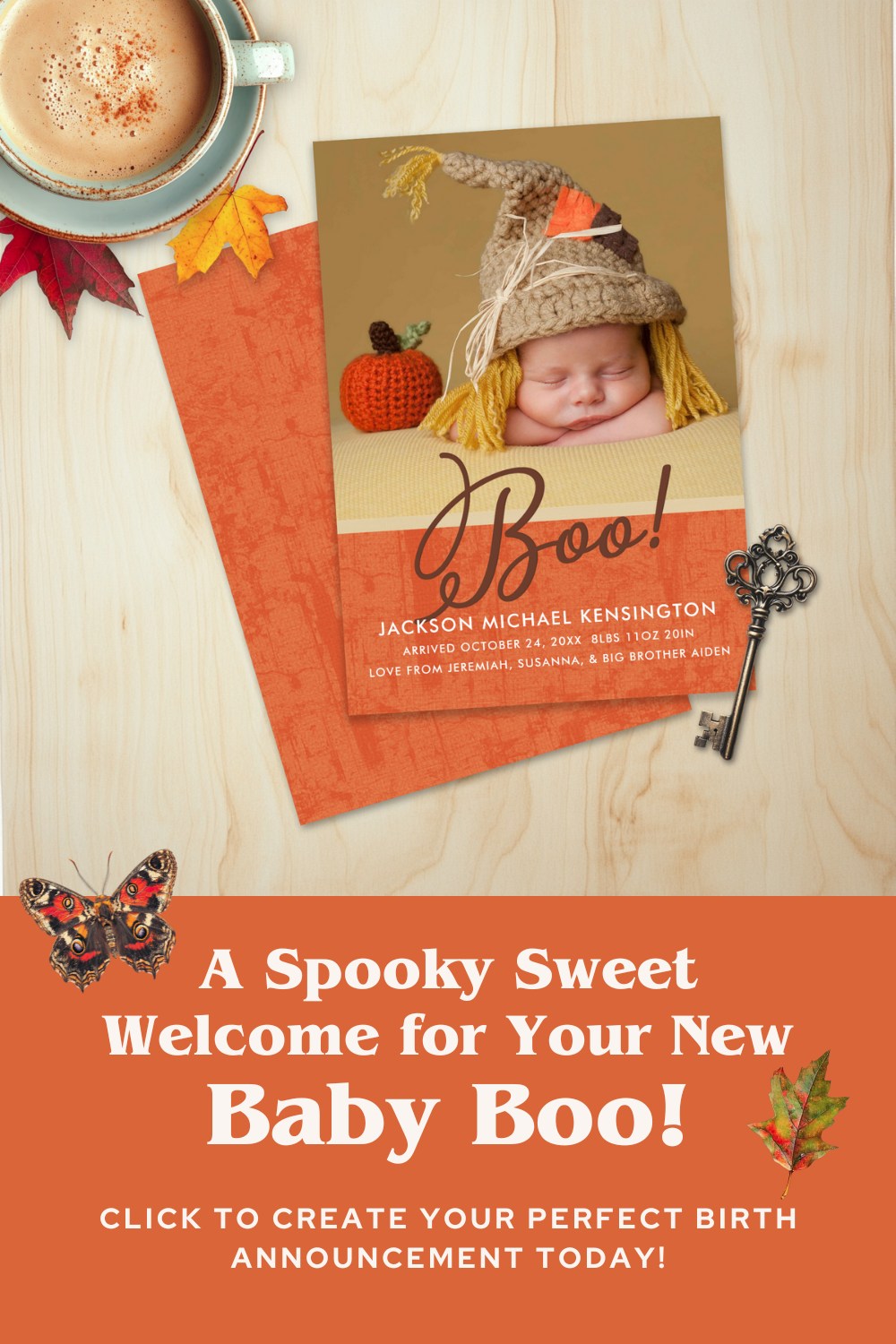 | Here's a FREE pin template to get you started. This is actually the one I use the most! (Just click the image to get the Canva template.) .png) |
.png)
This month’s freebie is an “absolute unit” (bonus points if you got that joke!) - it’s massive!
If you’ve been around for long, you know that I usually put a bigger/fuller version of the freebie in the Designers Toolkit, and I put a mini/smaller version in the Fieldnotes. But I couldn’t figure out how to split this one up, so this month EVERYONE gets the full sized version! Consider it my thanks for being so supportive - and a special welcome gift for everyone who joined up during the launch of Zazzle Unleashed!
🍂So without further ado, allow me to present you with the Mockup Toolkit and Scene Creator for Autumn & Halloween! Over 150 assets to help you create the most spectacular (or is it spook-tacular) Fall and Halloween scenes!
🎃Use it to make those amazing cover images (and pins!) and really make your products pop in the marketplace and on Pinterest (or wherever you share).
Click the image below to head to the Canva template!
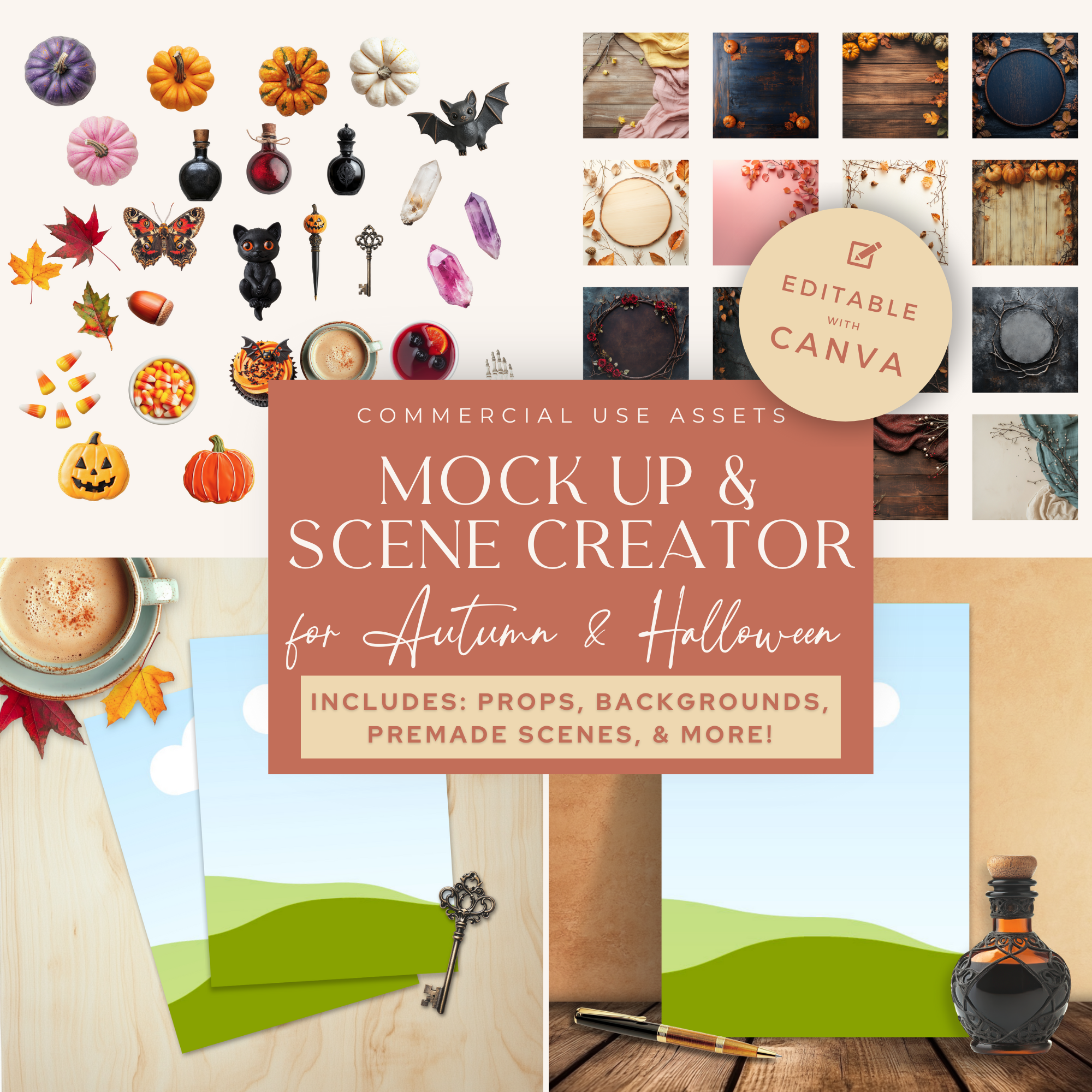
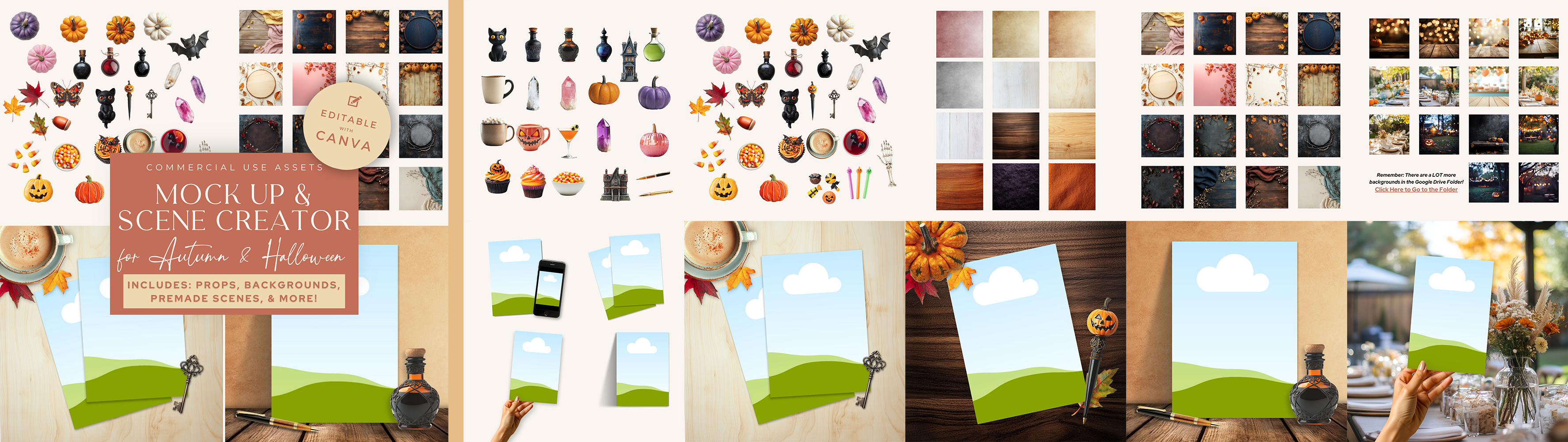
Clicking this link or the image above will take you to the Canva template. It has about 60% of what is in the entire kit. I couldn’t fit it all into the template, so inside the template there’s a link in the template to a Google Drive folder with ALL of the props and backgrounds. The Google Drive folder is also great if you use Photoshop or Photopea (or just not Canva) - you can just save the files to your computer and use them in your favorite software.
2 Quick Reminders:
1. I will put a link to this Autumn & Halloween scene creator in the Bonus section of the Designers Toolkit - so if you own that, you can also access it from there (or click here for a direct link).
2. The Mockup Toolkit and Scene Creator elements are NOT designed to be printed. They are not high enough resolution and will look fuzzy. They’re designed to create cover images and mockups. If you want to use them on products to sell (print), be sure you upscale them.
That's it for this month's Fieldnotes!
Thanks for sticking with me to then end.
Be sure to reach out if you have questions
or just want to swap howdies!
Thanks for sticking with me to then end.
Be sure to reach out if you have questions
or just want to swap howdies!
.png)