fieldnotes 08
.png)
Fieldnotes #08
How is it already March?!
I'm incredibly thankful this month that my computer seems to be back to her old self again! I got most of the issue sorted out by just doing some updates and clean up work, but the problem that was vexing me the most turned out to be one of my own making, and I'm a little embarrassed to share it. But what are these Fieldnotes for, if not for throwing myself under the bus? 🤣
If you don't want to read the sordid tale of my failure, just scroll past! 😅
Here's the story: one of the first things I did when Baby started acting up was to take her apart a give her a good dusting - trust me, that girl was dirty! 🙈 (Pls don't tell my nephew who built her for me!) I put her back together, hooked her up, and then went to work on the updating and other clean up work. Like I said, that all seemed to work, but for some reason I kept getting notices from Photoshop that my graphics driver needed to be updated or was out of date or wasn't powerful enough, and so on. It got so bad that I just couldn't use Photoshop or Illustrator or Topaz (my upscaler) without crashing everything!
So I did what all the 21st century gals are doing and asked ChatGPT! 😅 Of course ol' Chatty took me through the usual steps I'd already taken, but nothing worked. Then Chatty suggested that maybe a cord had come loose in the back, so I took a photo of the back of my rig, uploaded it, and I got this delightfully snarky reply from ChatGPT: "Well, Kate, maybe it would help if your display was plugged into your graphics card port!" {{insert epic forehead smack here!}} When I put the computer back together after dusting her out, I had inadvertently plugged my display (monitor) into the wrong port; the computer was trying to use the wimpy little graphics card that came with the machine, not the BEAST of a graphics card my nephew had added!
 So with one little plug switch I was back in action and now we're both happy again! 🎉
Like I said - embarrassing. But I'm happy to be a good example for anyone who may be having the same problem. Please pause to check your cords now! 🤣
Alright, let's get to it. Remember, as always, you're free to just scroll down and snag that sweet freebie at the end! I won't judge!
.png)
The Wedding Designers Toolkit took off like wildfire! I’m really proud of it, and I’m excited to see it get into the hands of so many people. You can still get it for only $10 when you use the code EARLYBIRD, until March 17. After that, the price goes up to $27, which is still a great deal!
And before you say, “Kate, I don’t do weddings!” Let me tell you this: the graphics in that Toolkit are PERFECT for a LOT of other niches besides weddings!
✨ Other Occasions: Use floral arrangements and watercolor elements for baby showers, birthdays, anniversaries, graduations, and more! The timeless, classy designs work beautifully across multiple events.
🎁 Personalized Gifts: The wide variety of design elements
in the Toolkit aren’t just for invitations! Use them to create custom mugs, phone cases, tote bags, and more. Consider making gifts for brides, moms, besties, teachers, etc.
🏡 Home Decor & Office Inspo: Turn the graphics from the Toolkits into art prints, journals, and planners. Those gold accents, and botanical graphics? Perfect for chic workspace or living room decor.
🖥 Printables & Digital Downloads: The gorgeous graphics and decorative assets in the Toolkit can be used to create wall art, planner stickers, digital scrapbooking elements, printable greeting cards, and even social media graphics.
📌 Pro Tip: When you’re looking at the graphics, think of how the design style fits into a larger theme: elegance, celebration, love, and sentimentality all translate beautifully into other niches.
In the grid below you can see 10 random products I made using graphics from the Wedding Designers Toolkit - NONE of which are wedding related, and some aren’t even stationery! You can easily repurpose the graphics for just about any niche you can think of!
.png)
Next Up...Collections!
I promise I really do want to make this video for you, but when I look at the video I made for Zazzle Unleashed I feel like it really covers a lot. So I need your help. Tell me all your Zazzle Collections questions! You can send me an email if you want, or you can complete this short, anonymous 2-question survey. I will collect responses until the middle of March, then I’ll work on creating the video for next month’s Fieldnotes. Just click the image below to go to the survey. Thank you!
.png)
Alright, on to ZAZZLE things!
.png)
Zazzle has made updates to the Graduation Creator Guide, the Baby Shower Creation Guide, and the Wedding Creator Guide! Whew - that’s a lotta guides! 🎉 If you’ve never looked at them, you should! The Creator Guides are full of helpful information, not only on what is generally trending across that niche, but also (and probably more importantly), what is trending on Zazzle - and by extension, what you can expect Zazzle to promote!
Which reminds me: I get asked a lot (A LOT) if it’s possible to be successful on Zazzle without doing stationery. The answer is yes, of course! 😉 For sure stationery is lucrative (not making any income guarantees…just sayin’!), but if you are put off by it or intimidated or just don’t want to do all those template fields, there’s still plenty of room for you.
People come to Zazzle for personalized GIFTS all the time, so if you don’t want to make stationery, start looking at gifts and home decor instead. Just be sure to add the personalization feature! I cannot stress that enough, friends!
💡Think of it this way: people can go to the local Dollar Store and pick up a throw pillow with a pretty floral pattern on it (for a dollar!), so just putting your patterns on throw pillows isn’t going to get it in the long run. But do you know what people can’t get at the local Dollar Store? A pretty floral pattern throw pillow with their monogram and family name on it!
What should you be creating right now?
There’s no shortage of places for you to start getting a foothold and making your mark in the Zazzle marketplace.
What should you be promoting right now?
Seasonally, promote for Spring and Summer Weddings and for St. Patrick's Day. And as always, continue to promote your year-round (evergreen) products as well. Refresh some Pin images, update cover images (and repin), etc.
Seasonally, promote for Spring and Summer Weddings and for St. Patrick's Day. And as always, continue to promote your year-round (evergreen) products as well. Refresh some Pin images, update cover images (and repin), etc.
.png)
I put together a cute little kit for you this month. I’m calling it Grads & Moms! I couldn’t decide if I wanted to give you some Graduation graphics or some Mother’s Day graphics, then I realized how well they go together, and voila - Grads & Moms was born! There are 5 really pretty little blue flower graphics - these are super dainty and they look great on white! Then there are also a bunch of svg words related to moms and graduations. Check out these ideas for how to use them!
.png) Just click here or on the image to get this month’s freebie!
Just click here or on the image to get this month’s freebie!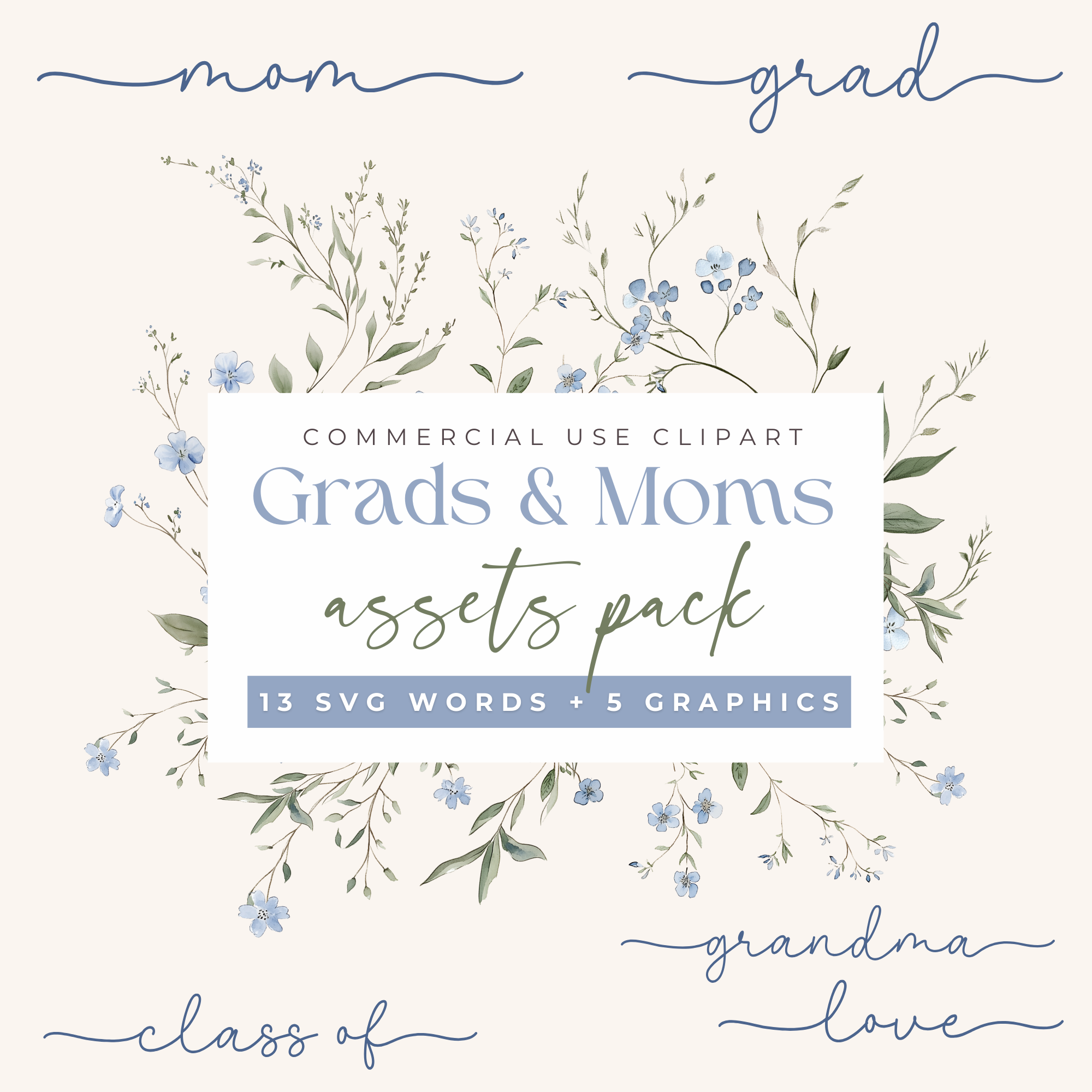
By the way, if you don’t have any good graduation stock photos to use for your template fields, I added nearly 100 of them to the Stock Photo Vault! There are teen/college students as well as some “littles” (because Kindergarten graduation is a hot niche!), and I tried to hit a range of both cultural diversity and levels of formality.
If you own ANY of my Toolkits (Original Designers, Christmas Designers, or Wedding Designers) you have access to this vault, including all future additions, so get in there and get some great photos to use in your products.
♥ That's it for March♥
Don’t forget to do the Collections Survey. 😉
Happy Spring!
Be sure to reach out if you have questions or just want to say hi!
Don’t forget to do the Collections Survey. 😉
Happy Spring!
Be sure to reach out if you have questions or just want to say hi!
.png)