fieldnotes 11
.png)
Fieldnotes #11
Happy June!
I don't want to freak you out or anything, but the next time we meet up here we'll be talking about Christmas! 😯🎄 We are half way through 2025! 🫠
In case you skipped the email or breezed past it, I do want to remind you one last time that I'm speaking at the FREE Creative Spark Summit this weekend (May 30 - June 1). I'll be teaching you How to Make Holiday Bingo Games on Zazzle, and I have a sweet freebie to go with it. Plus, if you upgrade to the optional Spark Pass, you'll also get an exclusive bonus from me that is not available anywhere else! If you haven't already done so, click here to grab your FREE ticket. I hope to "see" you there!
Alright, let's get to it.
Remember, as always, you're free to just scroll down and snag this month's freebie! You know I won't judge! 😉
.png)
It's Turtle Season Around Here!
It's "Turtle Season" where I live, and I've never seen anything like it! Just in May alone, I've seen more turtles than in my entire life (and yes, I'm counting zoo visits). Our house is nestled right between two little lakes, so our backyard has become an unofficial "turtle highway" as they make their slow-and-steady commute from one lake to the other.
These turtles are single-minded: their one goal is to mate. 💖 And they are laser-focused on getting to their turtle-love…so much so that they ignore everything else around them: people, animals, and (unfortunately) cars. 😬
Honestly, I find it fascinating how they know exactly what matters and pursue it with zero distractions. That kind of “all in” focus is the same kind of mindset I want in my business.
Usually.
Because, like every good object lesson, there's a caveat:
Squished turtles. 😭
I've seen just as many dead turtles as living ones this month! Not because they weren't passionate, but because they were so focused on their goal that they didn't see the danger. They didn't pivot or pause to reassess. They just charged ahead... straight into traffic.
⚡So yes, turtle focus is powerful. But if we don't occasionally look up and check the road, that focus can flatten us.
And since we're already in turtle territory, let me throw in another one:
"It's turtles all the way down."
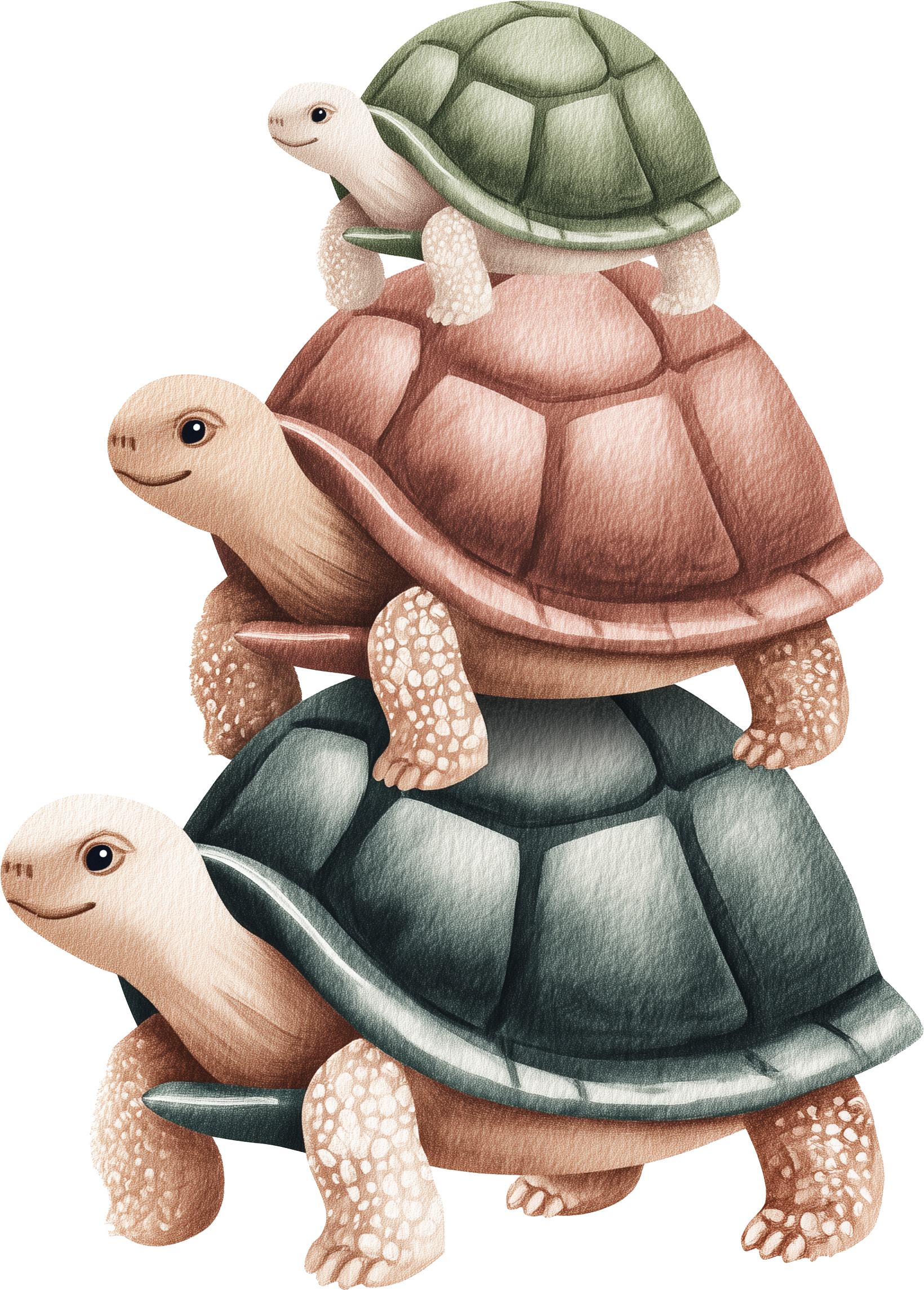 That phrase comes from philosophy, and it's used to describe infinite regress, when every answer depends on another answer, and nothing ever resolves.
 You ask "why?" enough times, and you end up stacking explanations without ever finding an answer or even solid ground.
Here's what that can look like with Zazzle (or Etsy or wherever you sell):
"Why are my Zazzle sales low?"
"Because your SEO's off."
"Why's my SEO off?"
"Because your niche isn't clear."
"Why's my niche unclear?"
"Because you didn't do research..."
...Turtles. All. The. Way. Down.
Eventually, we've got to stop the spiral and say, "Okay. What's the one turtle I can move right now?" Not the whole stack. Not every "why," just the one you can actually act on.
So be like the turtle: bold, focused, "on mission," as they say. Do the next thing, and keep moving toward your goal.
But also? Be the turtle that checks for oncoming traffic. Look up. Scan the road. Make your next move count.
I could come up with half a dozen more turtle anecdotes, but you get the idea.
Okay, enough analogies for the day! But stay tuned next month when I make a bunch of Bon Jovi analogies! 😂🤘🏻
.png)
Updates & Improvements...sort of?
Zazzle has been tinkering with the design area again (Improving it?Breaking it? A little of both? 😅), so it’s always fun to see what’s new…and what got a little weird in the process.
Here are a few of the newest updates:
⚡ Background Remover: This is a handy addition if you’ve got a clean, minimal design that just needs the background gone. I’ve tested it a bit, and it works pretty well, as long as you’re not working with wispy edges, watercolor washes, fur, or hair. 🙈 That said, I still recommend removing backgrounds before uploading to Zazzle if you can. But in a pinch this will do the job.
⚡ New Shapes & Lines! This one I’m genuinely excited about! We used to be stuck with just a few basic shapes (square, circle, etc.) and a lone sad line.
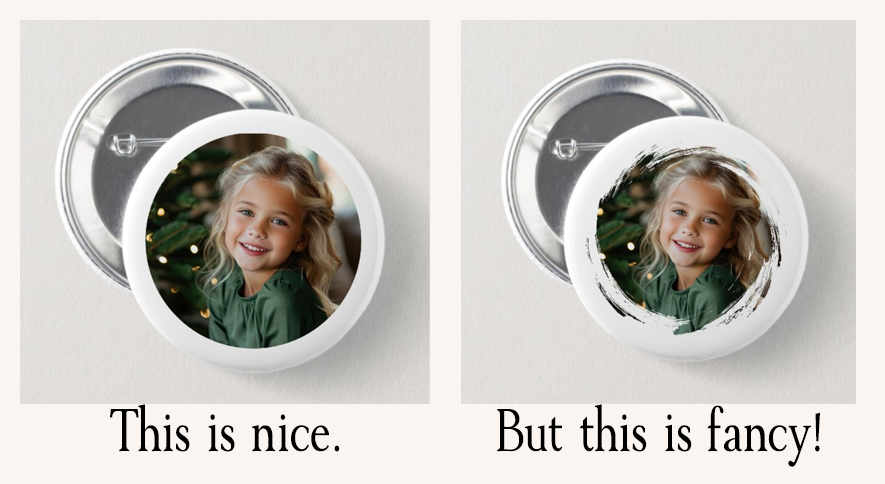
Anything fancier (stars, brush strokes, decorative squiggles) you had to upload yourself. But now Zazzle has added dozens of new shapes under the Elements tab in the design area. 🎉 Not only can you use them in your designs, but they also work as photo masks, which means you can get creative with cropping images in fun new ways.
Traditional circles are fine and all, but sometimes you just want to be fancy!
✨Check out this example of what you can do with masks now:
⚡ Things Got Moved (Again). In true Zazzle fashion, a few buttons wandered off to new homes: The orientation toggle is no longer hidden behind a gear icon. It’s now up top and easier to find. 🎉
They also added side views directly inside the main design area (instead of hiding them in the layers tab), so you can switch between front/back views without extra clicks.
New Royalty Sorter
The other bit of news is that they added an option to sort your products by Royalties (both print and digital). So if you’re the type of designer who has a variety of royalty rates for various products, this feature will help you see them in a more organized fashion. You know me, I keep my royalties the same across all my products, but I do know that some of you like to tinker. You do you! I love you all the same! 😅
What should you be creating right now?
Like I said, we are on the cusp of the holiday season (for designers), but for now we are wrapping up Summer and moving onto Fall.
Fall is coming up fast, so focus on:
🍁Back to School (Teacher gifts and products, school supplies, etc.)
🍁Fall Weddings & Fall Themed Baby Showers
🍁Early Prep for Winter Holidays (including Christmas in July!)
What should you be promoting right now?
👨👧 Father’s Day is right around the corner (June 15 in the U.S.) Shoppers are already browsing, so now’s the time to promote giftable items like mugs, shirts, cards, and personalized keepsakes.
👨👧 Father’s Day is right around the corner (June 15 in the U.S.) Shoppers are already browsing, so now’s the time to promote giftable items like mugs, shirts, cards, and personalized keepsakes.
Independence Day (4th of July) is also coming up, and shoppers are starting to prep for that, too. By the way, this is also prime time for Family Reunions, so if you design for that niche (or want to), hop to it!
.png)
This month, I've got a brand-new watercolor clipart pack to add a splash of charm to your next project: Undersea Whimsy! It's filled with 36 transparent PNGs, including turtles (of course!), plus jellyfish, crabs, coral, seaweed, and more, all in calm, coastal colors that work beautifully for baby showers, birthday invites, nursery prints, and summery designs.
You can click here or on the image below to grab this pack and get designing! And remember, all of our products (freebies included) come with our generous POD and PLR license.
.png)
🎉🎉NEW FEATURE!
I’m also trying something new this month: introducing the Inspiration Brief: a short, easy-to-skim document filled with curated tags, design niches, and other helpful ideas that match the current theme. Each brief is meant to get you moving fast with smart ideas and real use cases - especially for Zazzle!
If you ever find yourself stuck staring at a blank product page thinking, "What should I make with this clipart?", this is for you!
Our first Inspiration Brief is turtle-themed (of course! 😅). You'll find trending tags (like "sea turtle," "hatchling," and "turtle love"), top-selling product niches for this aesthetic, and sweet, pun-friendly sayings like "Turtley Adorable" and "Let's Shell-ebrate!" You can grab the clipart and the brief together, then mix, match, and start designing, slow and steady style (just watch out for cars! 😅).
Click on the image below to grab the brief (it's a PDF). I'll also stick a copy in the Google Drive folder with the clipart pack.
.png)
Right now I'm just going to include the Inspiration Briefs with each month's freebie (as they apply), but this may change in the future, so enjoy it while you can!
.png)
 PixelCut.AI
Pixelcut.AI is a browser-based tool I use constantly for background removal and image upscaling. I do have the Pro version (mostly because I like to batch-process images), but the free version is honestly great if you’re working on one image at a time.
It’s clean, fast, and does a better job with edges than most free tools I’ve tested! It saves me a TON of time!
It also has features for creating mockups and social media images, though I mostly stick to the background remover and upscale tools. You don’t have to download anything, and it works straight from your browser. Highly recommend checking it out: pixelcut.ai (not an affiliate link, just something I use all the time).
♥ That's it for June! ♥
I'll be taking some much needed time of for the first couple of weeks of June, and I hope you get some downtime yourself as the summer kicks into full swing! Thanks for being here - I appreciate you! ♥
Be sure to reach out if you have questions or just want to say hi!
I'll be taking some much needed time of for the first couple of weeks of June, and I hope you get some downtime yourself as the summer kicks into full swing! Thanks for being here - I appreciate you! ♥
Be sure to reach out if you have questions or just want to say hi!
.png)